Denver's Desk OPERATION PROFILES / DESIGN STUDY
Denver's Desk Black / professional servicesDenver's Desk Black · concept
OPERATION 03 / 07

The client story shouldn't vanish between screens.

See how client details, matters, documents, work and invoices could be connected without pretending Denver's Desk is already specialist legal-practice software.

DENVER'S DESK BLACK / MATTER WORKSPACEINTERACTIVE FILES · FICTIONAL DATA

THE FILE, NOT JUST THE DOCUMENT

Open a matter. Follow its work.

Select a fictional matter, then shuffle through its documents, work and time, and billing sheets. A professional workflow demonstration, not a legal practice-management certification.

01 / MATTER INDEXClient filesFictional demonstration files

These records are fictional. No client data, legal advice, trust money or real case management is involved.

DENVER'S DESK BLACK / CLIENT MATTERMAT-014
ASSIGNED TO Case team A

Northshore Holdings

Contract review

DOCUMENTSDraft billing review
Client instructionsReceived
Draft agreementReview required
Notes and referencesFiled
OPEN A MATTEREXPLORE ITS RECORDSFOLLOW WORK TO BILLING

Fictional matters and commercial records only. Specialist legal requirements, trust accounting and compliance would need separate evaluation.

APPENDIX / PRINT OUTPUT

The Documents Behind The Work.

Real document structure, fictional client data. These are illustrative HTML specimens based on Denver's Desk's branded print layout—not exported PDFs or a specialist legal form generator.

PREPARED FOR /DENVER'S DESK BLACKILLUSTRATIVE BUSINESS DOCUMENT

MATTER SUMMARY

MAT-014CLIENT RECORD / EXAMPLE
MATTER BRIEF / SCOPE

This fictional matter connects a customer, associated documents and work records. It is a generic work-record illustration, not regulated legal-practice software.

REFDOCUMENT / SERVICERECORD TYPESTATUS
01Client instructionsDocumentReceived
02Draft agreementDocumentReview required
FILE STATUSREVIEW
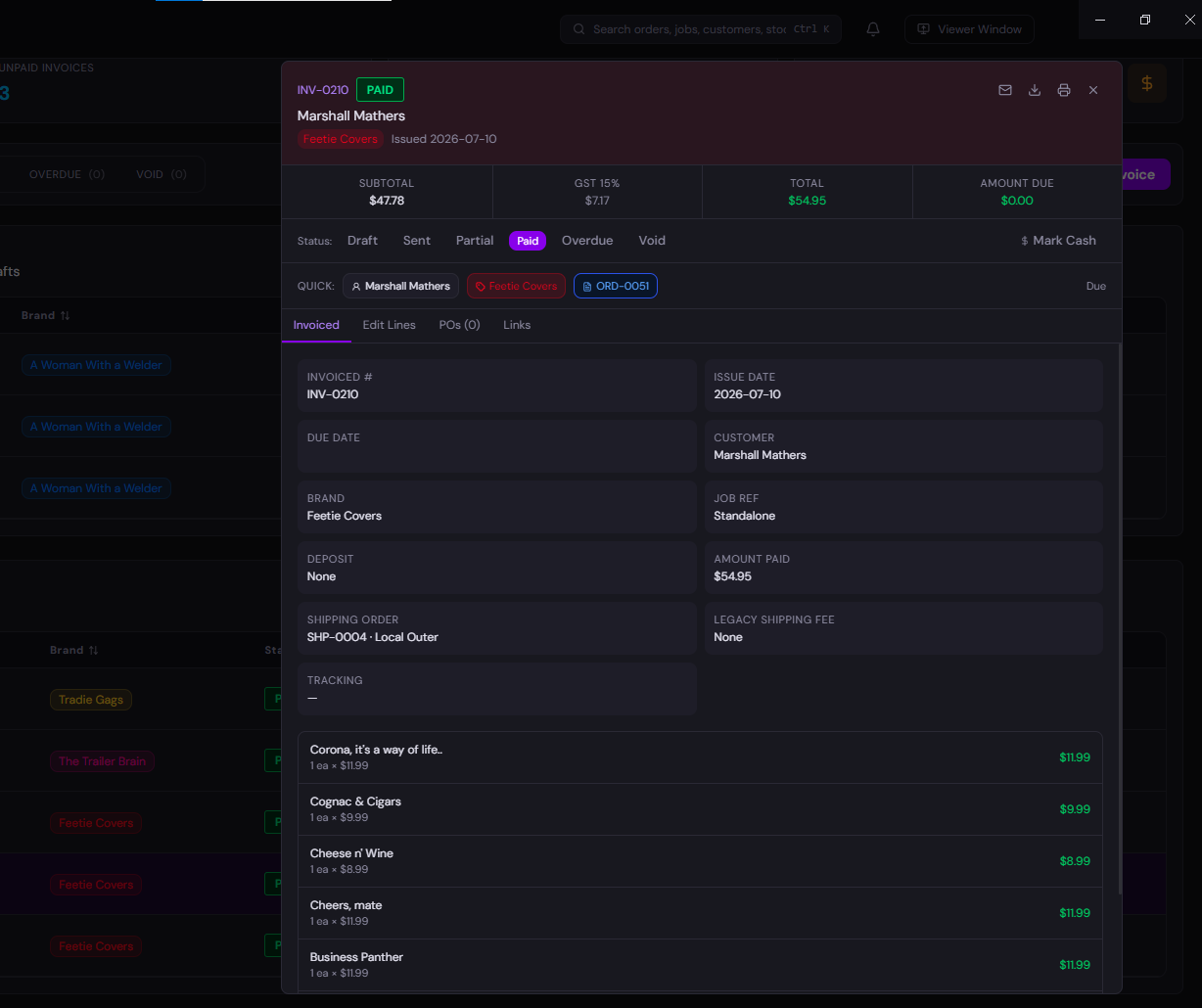
Actual Denver's Desk invoice details interface screenshot
THE APPLICATION BEHIND THE PAPERActual Denver's Desk invoice UI reference. The legal matter and agreement specimens are fictional examples, not screenshots of a specialist legal module.
THE SITUATION

A client calls about a matter. The team needs the background, the documents, the time spent, and a clear invoice at the end.

01 / FOLLOW THE WORK

From the first step to the last.

Pick a stage. See the work, the records that enter and leave it, and the Denver's Desk modules that fit.

01

CLIENT → CONTACT RECORD

Intake and relationship

Capture the client and the commercial request so people are not searching through disconnected inboxes for context.

RECORDS INEnquiry + customer details
RECORDS OUTCustomer / account record
MODULES IN THIS PART OF THE WORK
CustomersAccountsEmail

How the system should behave Contact history and operating records are useful, but legal identity, confidentiality and access rules must be designed intentionally.

02 / THE WHOLE PICTURE

Not isolated features. Connected operations.

This is why a modular ERP is different from buying five unrelated tools.

AN EXAMPLE CONFIGURATION

One operational story, many parts.

Client → matter-like job → work and time → agreed invoice → customer history.

01Client intake02Open matter03Record work04Bill & follow up

What this preview does — and doesn't — promise.

Specialist legal obligations, privacy, conflicts and trust-accounting requirements must be assessed independently. This demo illustrates generic workflows, not legal practice compliance certification.

These example pages are for design and fit review. The platform technical guide explains the wider architecture; the services card demo explains migration and implementation.

03 / MAKE IT YOURS

It's your business.
Build the Desk around it.

Start with some relevant modules, change anything that doesn't fit, and get a real quote rather than a fictional preset package.